Introduction: Building automation is becoming increasingly popular. Characterized by the ability to make homes and buildings more comfortable, safe and energy efficient, these systems make our lives easier. KNX programming is one of the most popular automation systems used worldwide. In this article, we will cover the basics of KNX programming and methods to visualize and control your KNX installation using smart assistants.
Full Automation for Your Home and Buildings with KNX
KNX is a building automation protocol that allows different devices to communicate with each other. It is a reliable and flexible solution for homes, offices and buildings of all sizes. Schneider Electric, KNX actors and KNX power supply is one of the leading companies in KNX automation, offering a variety of products such as.
KNX Tools Tutorial: Getting Started Guide
It is important to have the right tools before you start programming. The basic mechanism for programming your KNX installation is the Engineering Tool Software (ETS). ETS is a professional tool used by KNX installers and integrators to create, configure and diagnose KNX installations. ETS software is available in different versions such as ETS Inside, ETS Lite, ETS5 Professional and ETS Inside.
Need Installation Help?
If you are new to KNX programming, it is recommended to get help from a KNX installer or integrator. List of KNX certified professionals On the KNX website you can find They can help you design your KNX installation and ensure that everything works correctly. You can also contact us for guidance.
KNX Basic - Programming with ETS6
When programming your KNX installation, it is important to understand the basics of KNX programming. You should know how to create group addresses, program devices and configure the bus system. ETS6 is the latest version of ETS software and offers many new features that make programming more accessible and faster.
KNX Basics
KNX uses a hierarchical addressing system that allows different devices to communicate with each other. Devices are connected to a bus system and communicate with each other using group addresses. Each group address represents a specific function, such as turning on the light or closing the shutter.
ETS5 Professional
ETS5 Professional is the most advanced version of ETS software. It offers many features that make programming more accessible and faster. For example, it includes a graphical user interface that allows you to visualize and test your KNX installation. It also has a KNX product and manufacturer database that makes it easy to find the right products for your installation.
Topology
Before programming your KNX installation you need to create a topology. This is a graphical representation of your installation showing how devices are connected to the bus system. Creating a topology is important as it allows you to visualize your installation and detect potential problems before programming.
KNX Project Guide
The KNX Project Guide is a comprehensive document that explains how to design and program a KNX installation. It covers topics such as topology, group addresses and programming devices. This guide is an excellent resource for both beginners and advanced users.
KNX Certification
KNX Certification, is a program that certifies products, manufacturers and installers. It ensures that KNX products and installations meet the highest quality standards. It is recommended to use KNX certified products and installers for high quality and reliability.
Preparing your KNX Installation for Connection
To start programming your KNX home, you must make sure that your smart assistant device is connected to your KNX installation. This connection, Smart home can be done using a KNX IP router that connects to your network and provides access to your KNX system.
Software and License
To program your KNX system you will need a software called ETS (Engineering Tool Software). ETS is used to create and edit your KNX project file. This file describes all the devices in your KNX installation and how they interact. There are different versions of the ETS software available and some are paid.
Advantages of KNX Programming
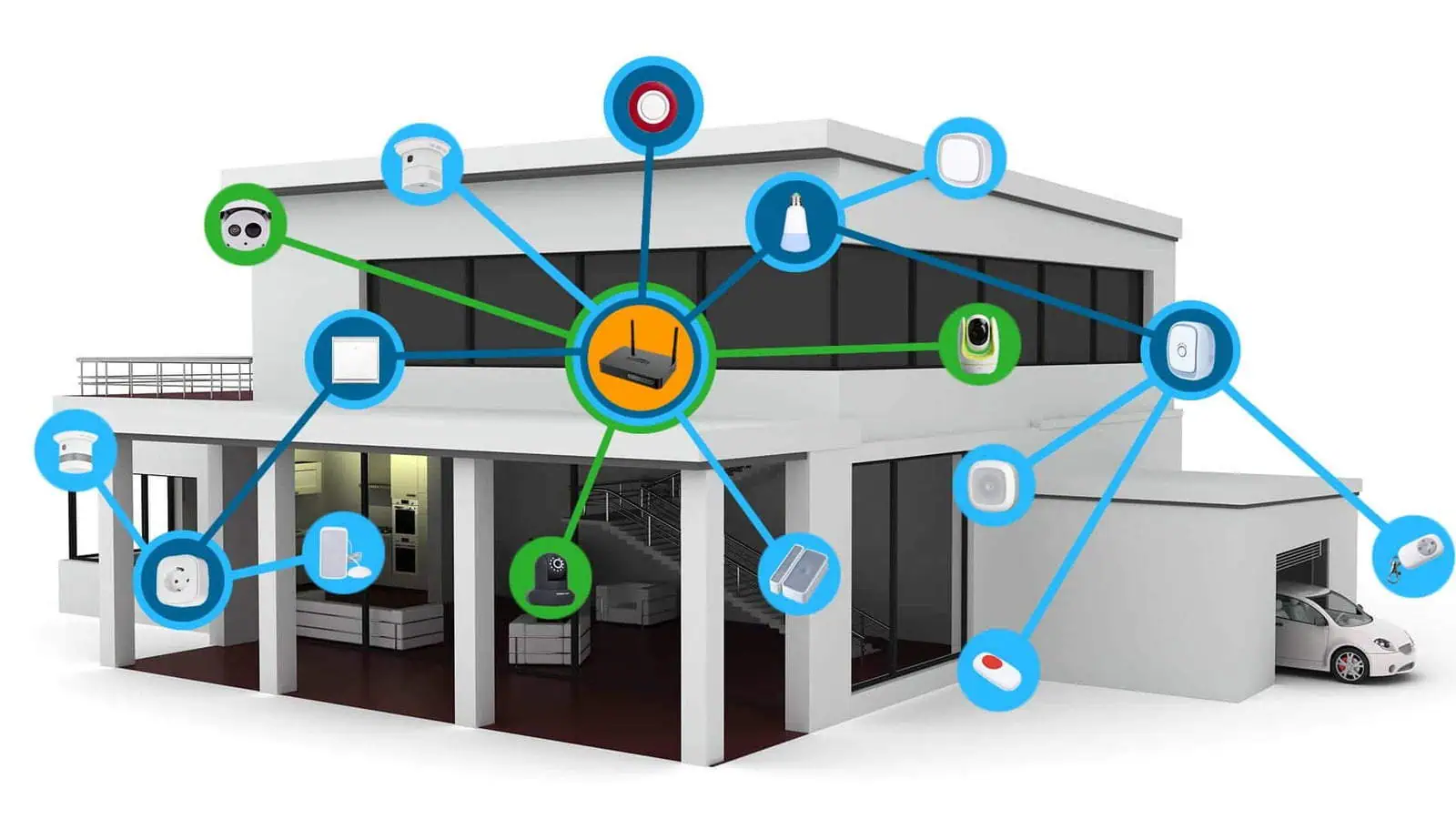
Here are some practical examples of how KNX programming can be used to increase energy efficiency, improve safety and make homes more comfortable:
- Energy Efficiency: KNX programming can help reduce energy consumption in a variety of ways. For example, sensors can detect when a room is unoccupied and turn off the lights and HVAC system. Furthermore, KNX programming can control blinds and curtains to regulate the amount of natural light and heat entering a room, reducing the need for artificial lighting and air conditioning.
- Security: KNX programming can help improve the security of a home by integrating various security systems such as alarm systems, cameras and access control. For example, the system can be programmed to send an alert to the homeowner's phone or activate an alarm when motion is detected in a specific area of the home. Moreover, KNX programming can provide an extra layer of security by remotely controlling the opening and closing of doors and windows.
- Comfort: KNX programming can make homes more comfortable by automating various tasks and adjusting the environment to the user's preferences. For example, the system can be programmed to automatically adjust the temperature and lighting when the homeowner enters a room. Furthermore, KNX programming can control multimedia systems such as music and TV, creating a personalized atmosphere in the home.
KNX programming can help users improve energy efficiency, upgrade security and make their homes more comfortable. By automating various tasks and integrating different systems, users can create a more personalized and comfortable living environment.
KNX Programming Process Stages
KNX programming involves several steps that must be followed to successfully configure and control a KNX system. Here are the detailed steps of KNX programming:
1. KNX System Planning and Design:
The first step in KNX programming is to plan and design the KNX system. At this stage, the devices used, their locations and functions are determined. While designing, the desired functionalities of the system such as lighting control, heating and cooling control, security should also be taken into consideration.
2. Selection and Installation of KNX Devices:
Once the KNX system has been planned and designed, the next step is the selection and installation of the KNX devices. This involves selecting the right devices for each function and mounting them in the appropriate places. Various devices such as sensors, actuators, switches and other control devices can be used.
3. Configuration of KNX Devices:
Once the devices are installed, the next step is to configure them. This involves establishing communication between devices, defining their addresses and parameters, and configuring the desired functionality of each device.
4. Programming the KNX System:
The next step is to program the KNX system. This involves writing the code necessary to control devices and implement the desired functionality. Programming involves complex logic functions and scenarios can be done using the dedicated KNX programming software.
5. Testing and Commissioning of the KNX System:
Once the KNX system has been programmed, the next step is to test and commission the system. In this phase it is checked that all devices communicate correctly, that the desired functionality works as expected and that the system meets the design requirements.
6. Maintenance and Update of the KNX System:
Finally, once the KNX system is installed and commissioned, it is important to maintain and update it over time. This can include performing regular maintenance tasks such as cleaning sensors, checking cables, as well as updating the system's programming and functionality to meet changing needs and requirements.
Overall, KNX programming is a comprehensive process that requires careful planning, installation, configuration, programming, testing, commissioning and maintenance. Smart homes in Dubai, Riyadh, Cairo and Sharjah rely on flawless KNX programming. This is the behind-the-scenes magic that makes your home respond effortlessly to your wish.




 TR
TR  EN
EN  AR
AR